
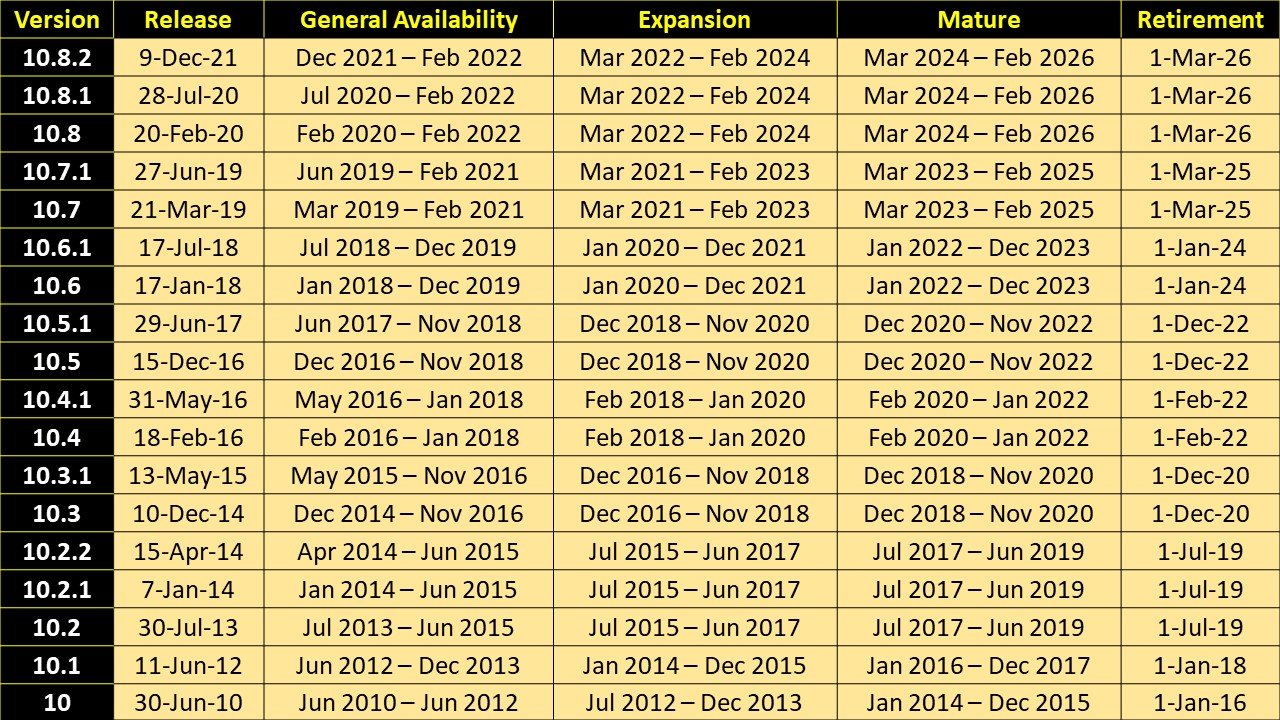
If you’re still working with ArcGIS Desktop, there’s an important update you shouldn’t ignore. The final release of ArcMap—ArcGIS 10.8.2—is officially set to reach its end of life on March 1, 2026. This also applies to ArcGIS Engine, meaning all legacy desktop GIS tools under this platform are being phased out.
This change impacts anyone using older ArcGIS systems, so it’s essential to start planning now to avoid unexpected issues or workflow disruptions.
In this article, you’ll learn what the end of life actually means, why it’s happening, and why moving to ArcGIS Pro is the right step forward.
What Does “End of Life” Mean for ArcGIS 10.8.2?
End of life (EOL) doesn’t mean the software will stop working overnight—but it does mean that support from Esri will completely end.
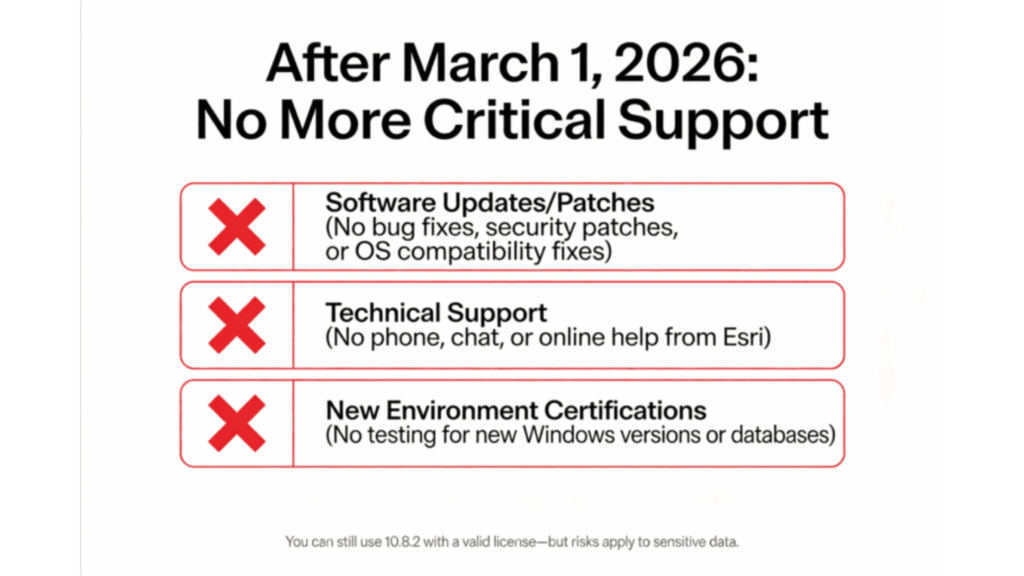
Starting March 1, 2026, ArcGIS 10.8.2 will no longer receive:
- Software updates or patches
Any security vulnerabilities, bugs, or compatibility issues will remain unresolved. In fact, updates already stopped in February 2024 when the software entered its mature support phase. - Technical support
You won’t be able to contact Esri for help via phone, chat, or online support. - System compatibility testing
The software will no longer be tested with new operating systems, databases, or third-party tools—leading to increasing compatibility problems over time.
Although you can still use ArcGIS 10.8.2 after 2026 with a valid license, doing so comes with significant risks—especially if your work involves sensitive or mission-critical geospatial data. That’s why upgrading before the support deadline is strongly recommended.
Why Is ArcGIS 10.8.2 Being Retired?
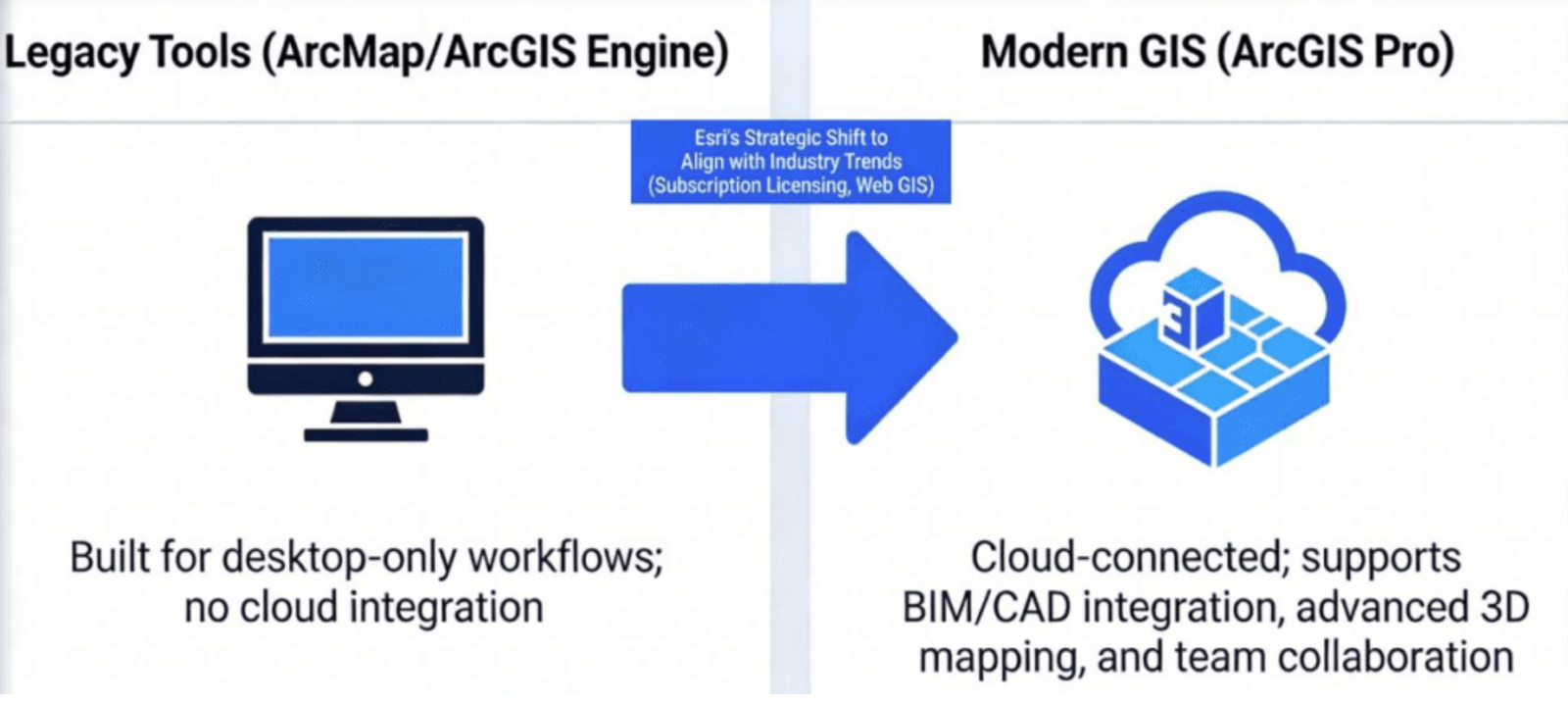
The retirement of ArcGIS 10.8.2 is part of Esri’s broader shift toward modern, cloud-connected GIS solutions.
ArcMap and ArcGIS Engine were designed for a time when most GIS work was done locally on desktop machines. Today, the industry has evolved toward web-based systems, real-time data sharing, and collaborative workflows.
To meet these demands, Esri is focusing entirely on ArcGIS Pro—a more advanced and future-ready platform.
Compared to older tools, ArcGIS Pro supports:
- Seamless integration with web GIS (ArcGIS Online & Enterprise)
- Advanced 3D visualization and analysis
- BIM and CAD data integration
- Improved collaboration across teams
These capabilities are now standard in modern GIS workflows but are not supported in ArcGIS 10.8.2.
By retiring older software, Esri can concentrate on improving tools that help users work faster, smarter, and more efficiently in today’s GIS environment.
The Recommended Replacement: ArcGIS Pro
As ArcMap reaches the end of its lifecycle, Esri strongly encourages users of ArcGIS 10.8.2 to transition to ArcGIS Pro.
ArcGIS Pro is the next-generation desktop GIS platform designed to replace ArcMap. It not only includes all the core capabilities users are familiar with but also introduces powerful new tools built for modern GIS workflows.
One of the biggest advantages? If you already have an ArcGIS Desktop license, ArcGIS Pro is typically included—so you can upgrade without additional cost. Ready to get started? See how to download ArcGIS Pro.
Not sure Pro is the right fit for your team? Read our guide on comparing QGIS and ArcMap or browse other GIS software options.
Key Benefits of ArcGIS Pro
1. Modern and User-Friendly Interface
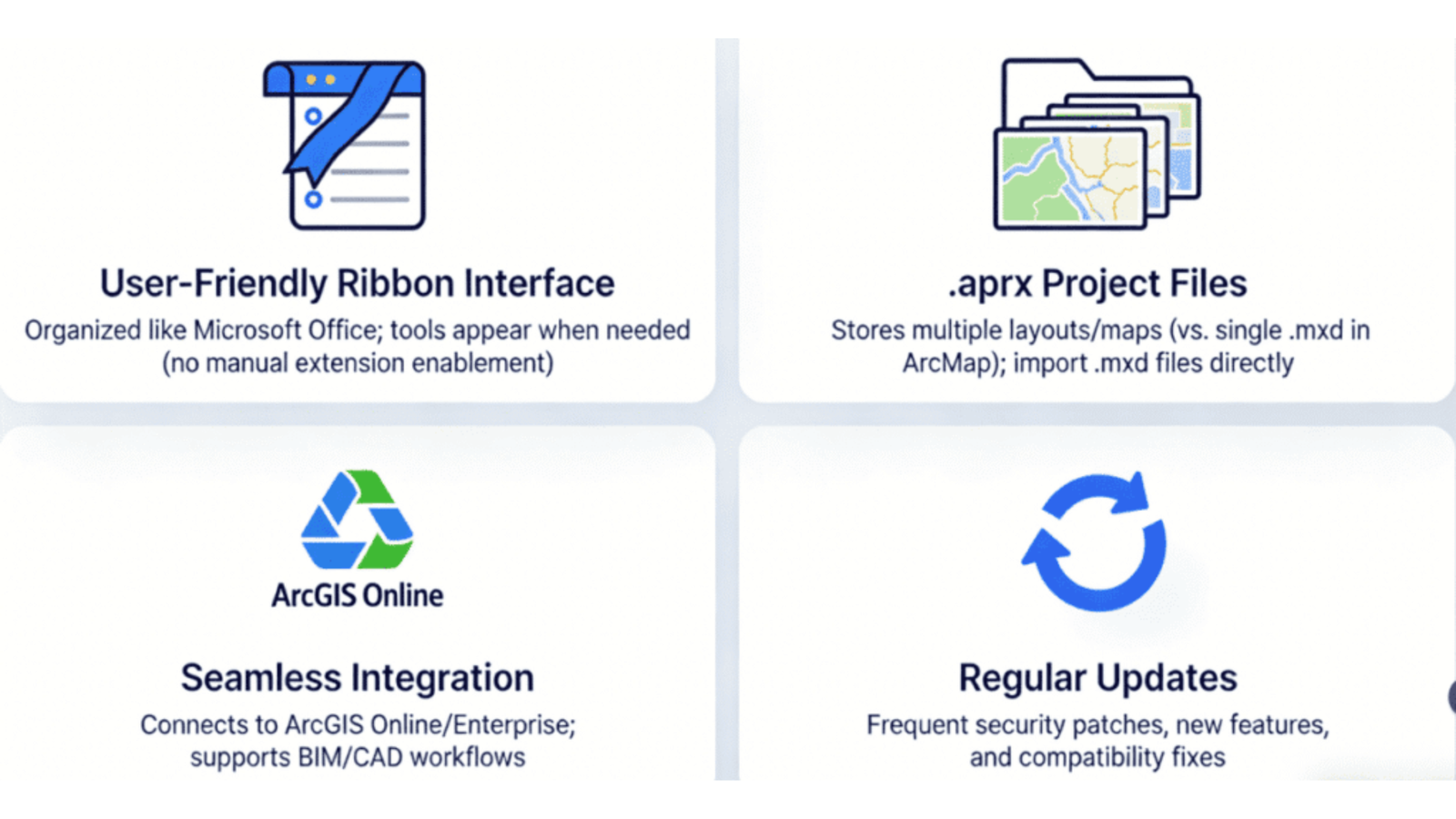
ArcGIS Pro features a clean ribbon-style interface, similar to Microsoft Office applications. Tools are organized into logical groups, reducing clutter and making workflows easier to manage. You’ll also notice that tools appear contextually, so you don’t have to manually enable multiple extensions. Cartography is easier too, as our tips on labeling in ArcGIS Pro show.
2. Project-Based Workflow
Unlike ArcMap’s traditional .mxd files (which handle a single map layout), ArcGIS Pro uses .aprx project files. These allow you to manage multiple maps, layouts, and datasets within a single project—making it much easier to handle complex GIS work. You can even import existing .mxd files directly, simplifying the migration process. You can read Esri Migratation document here.
3. Seamless Integration
ArcGIS Pro is built for connected GIS. It integrates smoothly with ArcGIS Online and ArcGIS Enterprise, allowing you to share, publish, and collaborate more efficiently. It also supports modern data formats, including BIM and CAD, which are essential for industries like AEC and large-scale enterprise environments.
4. Flexible Licensing Options
ArcGIS Pro supports multiple licensing models, including named user, single-use, and concurrent use. This flexibility allows organizations to choose what works best for their team structure. Existing users can also convert their current licenses for continued long-term access. For costs and plan details, see our breakdown of ArcGIS pricing plans.
5. Continuous Updates and Improvements
Unlike ArcMap, ArcGIS Pro receives regular updates that introduce new features, enhance security, and ensure compatibility with modern systems. This keeps your GIS environment up to date and future-ready.
Step-by-Step Guide to Migrating to ArcGIS Pro
Switching from ArcGIS 10.8.2 to ArcGIS Pro doesn’t have to be complicated. With the right approach, you can transition smoothly without disrupting your daily workflows.
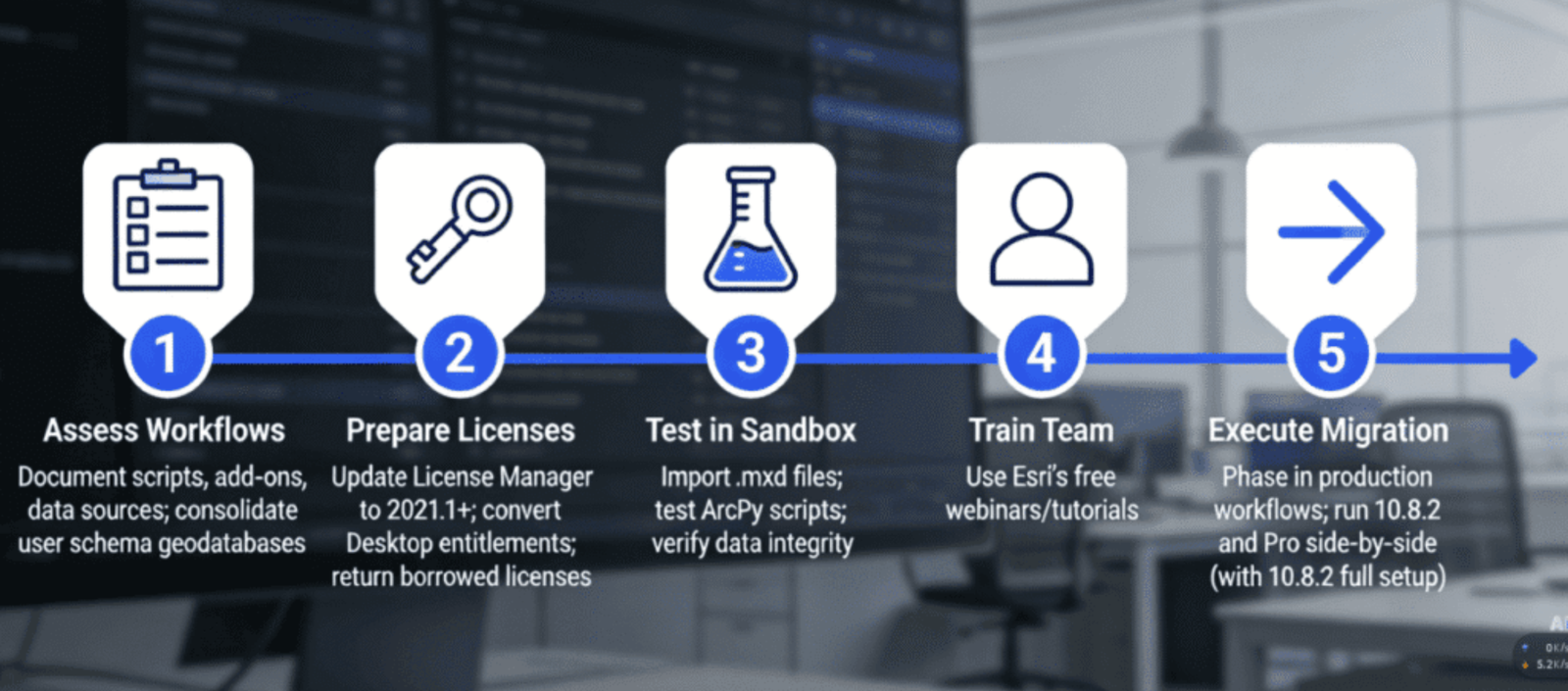
Below is a practical step-by-step guide to help you manage the migration efficiently and minimize downtime.
1. Assess Your Current Workflows
Begin by analyzing how you currently use ArcGIS. Document everything, including:
- Custom scripts (ArcPy, Python)
- Extensions and add-ons
- Third-party tools
- Data sources and databases
Pay special attention to user schema geodatabases, as they cannot be directly upgraded. You may need to consolidate them into a single geodatabase before moving forward.
Before starting the migration, ensure your licensing setup is ready:
2. Prepare Your Licensing
- Update your ArcGIS License Manager (version 2021.1 or later is required)
- Convert your existing ArcGIS Desktop licenses to match ArcGIS Pro’s licensing model
If you’re using concurrent licenses, make sure all borrowed licenses are returned to avoid conflicts during the transition.
3. Test the Migration in a Safe Environment
It’s always best to test before making a full switch. Set up a separate testing (sandbox) environment where you can safely evaluate everything.
Focus on the following:
Check data integrity, especially if you’ve merged or restructured geodatabases (see shapefiles vs file geodatabases)
Import .mxd files into ArcGIS Pro and verify layouts, symbology, and data connections
Run and validate custom scripts and tools (most ArcPy scripts work but may need minor updates; our guide to Python for GIS is a useful refresher)
4. Train Your Team
While ArcGIS Pro builds on familiar ArcMap concepts, its interface and workflows are different. Providing proper training will help your team adapt more quickly.
Take advantage of learning resources from Esri, including tutorials, webinars, and documentation. Our hands-on tutorials on automating buffer and slope analysis with ModelBuilder and watershed delineation in ArcGIS Pro make good practice exercises.
5. Roll Out the Migration Gradually
Once testing is complete, move your production workflows in phases rather than all at once. This reduces risk and keeps your operations running smoothly.
You can run ArcMap and ArcGIS Pro side by side during the transition—for example, using ArcGIS Enterprise 10.9.1 for compatibility (see the ArcMap Runtime Support setting in ArcGIS Server).
After everything is fully migrated and stable:
- Remove ArcGIS 10.8.2 from your system
- Free up system resources
- Reduce long-term security risks
By following these steps, you can ensure a smooth and controlled transition to ArcGIS Pro while keeping your GIS operations efficient and future-ready.
Don’t Wait—Start Your Migration Today
The retirement of ArcGIS 10.8.2 is approaching quickly, with the final deadline set for March 1, 2026. Waiting too long to migrate can expose your organization to serious risks, including security vulnerabilities, system incompatibilities, and workflow disruptions.
As operating systems and database technologies continue to evolve, relying on unsupported software becomes increasingly risky. That’s why moving to ArcGIS Pro isn’t just a necessary step—it’s a smart upgrade.
With Esri focusing entirely on modern GIS solutions, ArcGIS Pro provides:
- Enhanced performance and capabilities
- Better collaboration through web GIS integration
- Continuous updates and long-term support
To ensure a smooth transition, take advantage of Esri’s official documentation, tutorials, and support resources. If needed, you can also reach out to their team for guidance.
Common FAQs About ArcGIS 10.8.2 Retirement
Will my custom apps still work after March 2026?
Yes, custom applications built with ArcGIS Engine or ArcObjects SDKs will continue to run even after ArcGIS 10.8.2 reaches end of life. However, they will no longer receive updates, bug fixes, or technical support. For better long-term stability, it’s recommended to migrate your applications to modern solutions like ArcGIS Maps SDKs.
Do I need to reauthorize my license for ArcGIS Pro?
In most cases, no. Your existing license can be reused with ArcGIS Pro, but it may need to be converted to the appropriate licensing model. If you’re using a perpetual license, make sure it’s properly configured to maintain long-term access.
Can I run ArcGIS 10.8.2 and ArcGIS Pro on the same machine?
Yes, both applications can run on the same system. This is actually helpful during the transition period, as it allows you to gradually move your workflows. Just make sure that all ArcGIS 10.8.2 components are properly installed to avoid compatibility issues (here is our ArcGIS 10.8 installation guide).
Don’t Wait—Start Your Migration Today
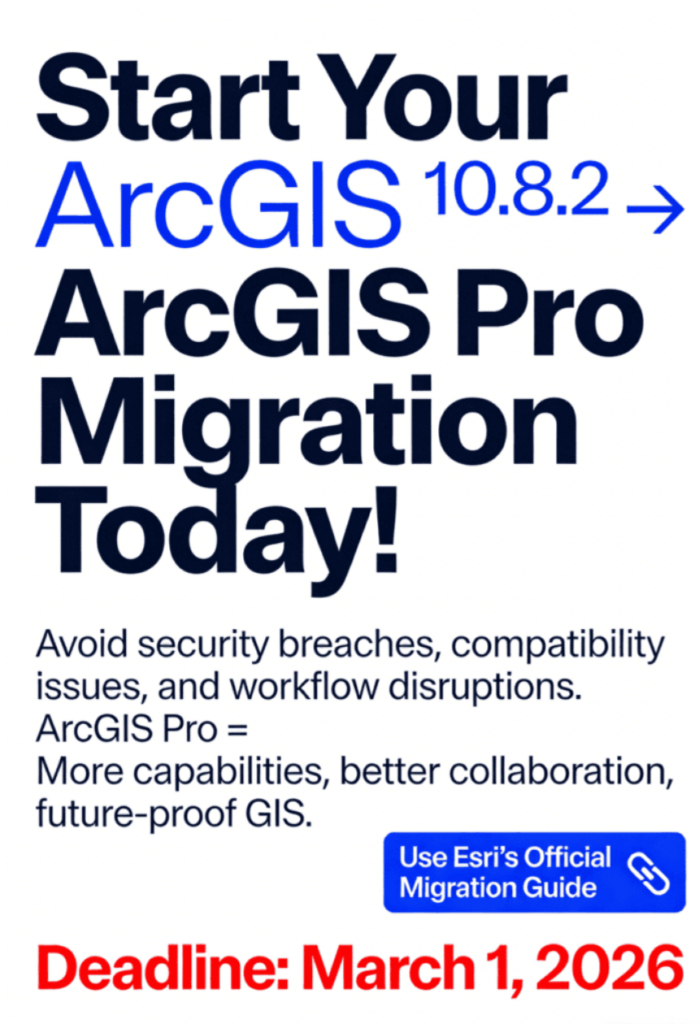
The retirement of ArcGIS 10.8.2 is approaching quickly, with the final deadline set for March 1, 2026. Waiting too long to migrate can expose your organization to serious risks, including security vulnerabilities, system incompatibilities, and workflow disruptions.
As operating systems and database technologies continue to evolve, relying on unsupported software becomes increasingly risky. That’s why moving to ArcGIS Pro isn’t just a necessary step—it’s a smart upgrade.
With Esri focusing entirely on modern GIS solutions, ArcGIS Pro provides:
- Enhanced performance and capabilities
- Better collaboration through web GIS integration
- ArcMap Continued Support (Esri blog)
To ensure a smooth transition, take advantage of Esri’s official documentation, tutorials, and support resources. If needed, you can also reach out to their team for guidance.
Final Thought
ArcMap’s era is coming to an end, but it opens the door to a more powerful and flexible GIS future. Start your migration today and make sure your workflows stay secure, efficient, and ready for what’s next.